Clean The Stadium Guides & Walkthroughs
Every Clean The Stadium tutorial in one place—from first flame to drone automation.
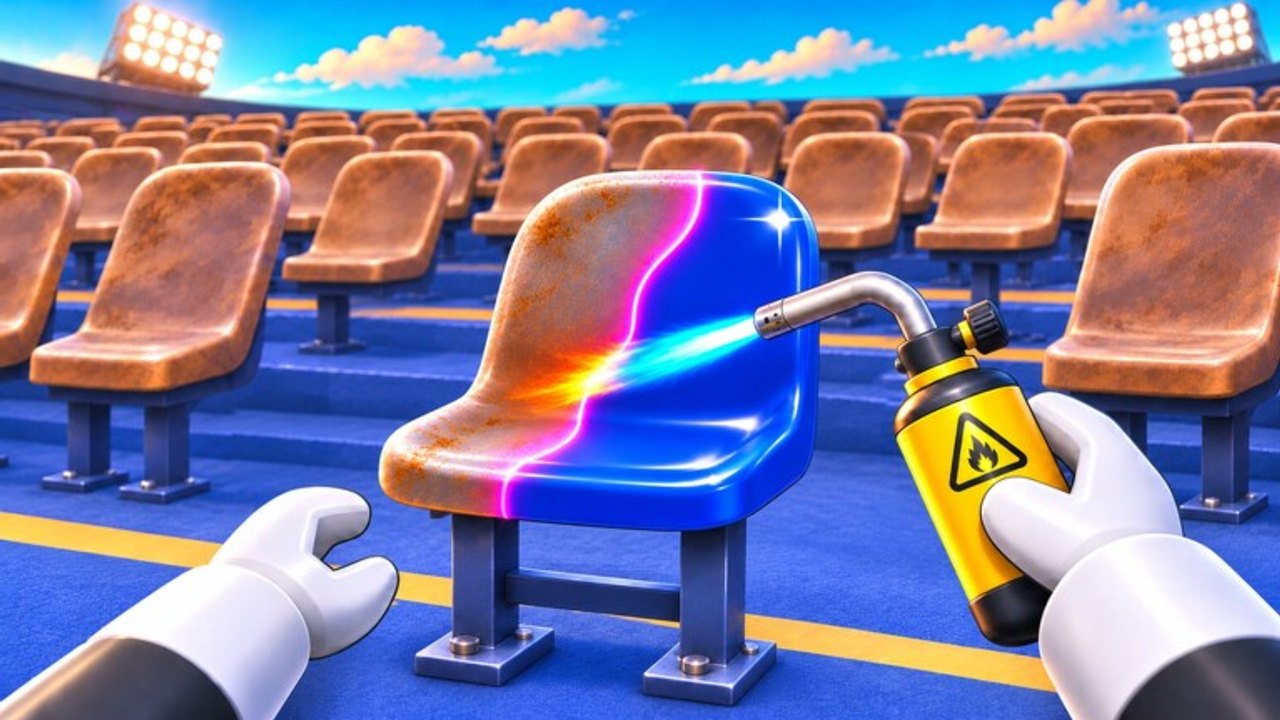
This Guides Hub is the map of every strategy page for Clean The Stadium on Roblox. Whether you just spawned with a Lighter or you are saving for a Flamethrower and a drone fleet, start here, then dive into the child guides linked below.
Developer SimpleStud built a clear simulation loop: burn dirty seats → earn cash → buy tools and upgrades → ready the stadium → watch kickoff. Our guides teach that loop with spend order, co-op notes, and badge goals—not filler paragraphs.
Start here
If you are brand new, open Getting Started first. It covers the first session, Shop awareness, the RELEASE code pointer, and embeds real gameplay video so you can see seat burning before you invent a bad route.
Already comfortable with the spark? Jump to cash and loadout pages next.
All guides
| Guide | Who it helps | Focus |
|---|---|---|
| Getting Started | Brand-new players | First hour, badges mindset, video overview |
| Earn Cash Fast | Grinders stuck on Lighter pace | Routing, shop timing, reward stacking |
| Upgrades | Players with spare cash | Flame, power, fuel, Auto Burn priorities |
| Drones | Mid-game automation fans | When to buy drones and how to use them |
Cross-link these while you play: cash guide → upgrades → drones is the usual arc after onboarding.
How the guides fit the wider wiki
- Claim trophies on the Codes Hub and follow How to Redeem before a long grind.
- Check the Tier List Hub when two Shop items are fighting for your wallet.
- Bring friends with a plan from the Players Hub (up to four).
- After patches or the late-November event window, skim the Updates Hub.
- Need static facts? Read the Game Overview.
- Curious about executors? The Scripts Hub explains why nothing confirmed is listed yet.
Beginner path (one evening)
- Finish a few seats for First Flame confidence.
- Redeem
RELEASE(100 trophies, ALL CAPS). - Follow Earn Cash Fast until the Torch Gun is realistic.
- Spread early Upgrades so fuel is not empty mid-stand.
- Revisit the tier list before Auto Burn or the first drone.
- Push toward Warming Up (100 seats) and a full restore for Match Day.
Intermediate path (weekend)
- Specialize: one session only on fuel economy, one session only on drone placement.
- Run a four-friend clear with assigned lanes.
- Compare Flamethrower timing versus stacking more drones—both can be correct depending on map width.
- Ignore unverified script pressure; legitimate systems already automate a lot.
What we refuse to do in guides
- Invent codes, patch percentages, or fake YouTube IDs
- Publish loadstrings that were never tested in this place
- Recommend Robux spends as mandatory (the game is free-to-play)
- Leave dead links to pages that do not exist
Each English guide aims for real depth (hundreds of words of actionable advice) plus a focused FAQ. If a mechanic changes after a SimpleStud update, we revise the child page—not this hub’s philosophy.
Tips that apply to every guide
- Platforms: Desktop, Mobile, Tablet—Shop scrolling still matters on touch.
- Servers hold about 20 players; claim space early in public instances.
- Daily rewards and quests stack with burn cash; do not skip them during “efficient” routes.
- Kickoff is the fantasy payoff—finishing a stadium feels better than infinite half-cleared rows.
Bookmark this Guides Hub, pin Getting Started for friends you invite, and use the table above whenever you forget which deep dive answers your current bottleneck.
Frequently Asked Questions
Quick answers about Clean The Stadium codes, tools, upgrades, and co-op.
Which Clean The Stadium guide should I read first?
Start with Getting Started, then redeem codes and move into the cash guide.
Do these guides work on mobile?
Yes. Mechanics are the same on Desktop, Mobile, and Tablet; only Shop and camera ergonomics differ.
Will you add more guides later?
Yes when new systems need depth. This hub always links every live child guide in the table above.
Are scripts covered in the guides?
Strategy guides assume legitimate play. Script status and safety notes live on the Scripts Hub.