Getting Started in Clean The Stadium
Your first session on Roblox—from Lighter sparks to a plan for Torch Gun and kickoff.
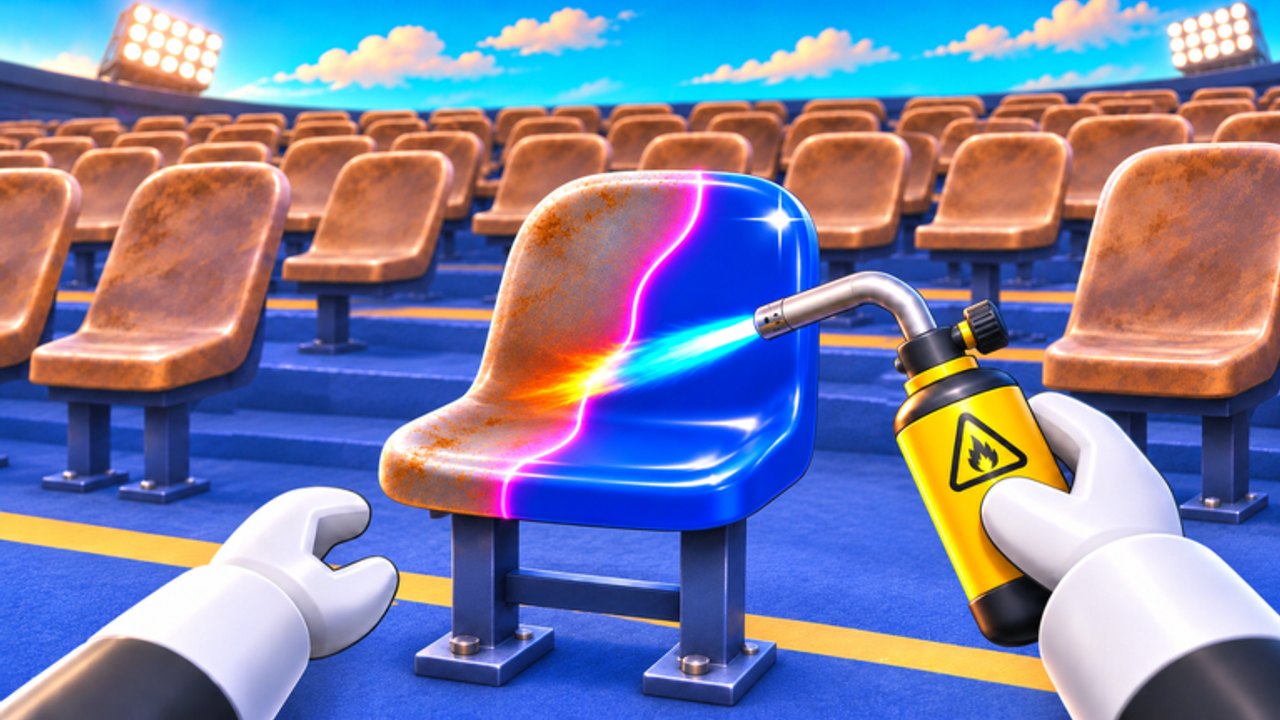
Welcome to Clean The Stadium, SimpleStud’s Roblox simulation where dirty seats become cash, cash becomes firepower, and a restored arena earns you that kickoff moment. This beginner guide gets you productive in the first hour without wasting currency on the wrong upgrade.
You will learn the loop, the tool ladder, where codes hide, which badges matter early, and how to invite up to four friends without tripping over each other. When you finish, continue with Earn Cash Fast and the Tier List Hub.
What kind of game is this?
Genre: Simulation. Platforms: Desktop, Mobile, Tablet. Price: free-to-play. Servers hold about 20 players. Co-op shine: up to 4 friends. Released 15 November 2026, still patched through late November 2026.
Your job is literal: burn filth off stadium seating until the venue is ready. It is satisfying, slightly chaotic in public servers, and very upgrade-driven.
Minute-zero checklist
- Launch from the official place: Clean The Stadium.
- Wait for UI and tools to load before sprinting into seats.
- Note the Shop button on the left—you will need it for purchases and codes.
- Equip the Lighter if it is not already in hand.
- Burn your first seat to understand hit feedback and to chase the First Flame badge.
Do not open random paid prompts until you understand cash income from cleaning.
The core loop (memorize this)
Burn dirty seats → earn cash → buy better tools & upgrades → ready the stadium → watch kickoff → repeat.
Everything on this wiki plugs into that sentence. Codes give trophies. Quests and daily rewards add side progress. Drones and Auto Burn reduce how often you click. None of those systems replace the need to clear seats.
First purchases mindset
The tool order you will hear everywhere:
- Lighter (starter)
- Torch Gun (first real upgrade target)
- Flamethrower (late handheld goal)
Alongside tools, the Shop sells flame, power, fuel, and eventually Auto Burn, plus drones that burn for you. Beginners should not max a random bar while still on the Lighter. Earn toward the Torch Gun, keep enough fuel to work, then read Upgrades before specializing.
Redeem the launch code early
As of late November 2026 there is one confirmed code:
RELEASE→ 100 trophies (ALL CAPS)
Path: Shop (left) → scroll to bottom → Type Code Here → Redeem. Details and troubleshooting: How to Redeem Codes. Full list: Codes Hub.
Claiming trophies before a long grind means you are not “leaving free progress on the table” while you learn routes.
Watch the loop in motion
Gameplay footage helps more than another paragraph of adjectives. Use the embedded video on this page (Clean The Stadium gameplay) to see pacing, camera movement, and how fast seats can disappear once tools improve. Then copy the idea—not necessarily every click—in your own server.
Badge roadmap for beginners
| Badge | Goal | Beginner tip |
|---|---|---|
| First Flame | Burn first seat | Happens naturally in minute one |
| Warming Up | Burn 100 seats | Pick a lane and stay consistent |
| Match Day | Restore first stadium | Save for Torch Gun before forcing a full clear |
Badges are confidence markers. They also give you reasons to finish a stadium instead of hopping servers forever.
Co-op in your first week
Invite up to four friends. Before lighting up:
- Split the stands into lanes
- Have each person redeem
RELEASEon their own account - Put the weakest tool on the shortest rows
- Elect one person to watch Shop prices so four people do not panic-buy the same dead-end upgrade
More party theory lives on the Players Hub.
Common beginner mistakes
- Ignoring fuel until the Torch Gun sputters mid-row
- Skipping the code because the box is hidden under Shop scroll
- Buying a drone too early while your handheld tool still crawls (sometimes okay, often slower—see Drones)
- Tripling up on one row with friends and leaving half the stadium filthy
- Chasing unverified scripts on a brand-new game (Scripts Hub status: none confirmed)
Session plan (45–60 minutes)
- First Flame + ten minutes of routing practice
- Redeem
RELEASE - Cash push toward Torch Gun using tips from Earn Cash Fast
- One balanced upgrade purchase (prefer whatever keeps you burning longer)
- Attempt a larger section clear; note time-to-clean
- If friends are on, run a coordinated half-stadium
- Stop on a win (kickoff or badge), not on burnout
What to read next
- Guides Hub — full tutorial list
- Earn Cash Fast — shorten the awkward early economy
- Upgrades — flame / power / fuel / Auto Burn
- Tier List Hub — S/A/B priorities
- Updates Hub — launch date and late-November event timing
- Game Overview — static facts sheet
You do not need to master every system on day one. You need a clean first seat, a redeemed code, a Torch Gun plan, and the discipline to finish sections. Do that, and Clean The Stadium opens up fast.
Frequently Asked Questions
Quick answers about Clean The Stadium codes, tools, upgrades, and co-op.
What should I buy first in Clean The Stadium?
Save toward the Torch Gun while keeping basic fuel healthy. Avoid random maxing on the Lighter for too long.
How do I redeem the RELEASE code?
Open Shop on the left, scroll to the bottom, enter RELEASE in ALL CAPS, then Redeem. See How to Redeem.
Can I play with friends as a beginner?
Yes—up to four friends. Split lanes so you do not stack on one row. Read the Players Hub.
What badges should I aim for first?
First Flame comes immediately. Then work toward Warming Up (100 seats) and Match Day (restore a stadium).
Is there a tutorial video?
This page embeds real Clean The Stadium gameplay (YouTube ID mlqkVYPGlLY) so you can see the loop before optimizing it.